


You don't need a degree in horticulture or a big budget to start planning your dream garden. The right landscape design software for beginners can turn a rough idea into a clear, visual plan, one you can refine, share, or hand off to a professional when you're ready. And the best part? Several solid options cost nothing to get started with.
At Konzept Garden, we've designed and built award-winning gardens across Malaysia, and we know that great outdoor spaces always begin with a strong concept. Whether you're sketching out a backyard makeover or planning planting zones for a new home, having a visual starting point makes every decision easier, from choosing materials to communicating with contractors or designers like us.
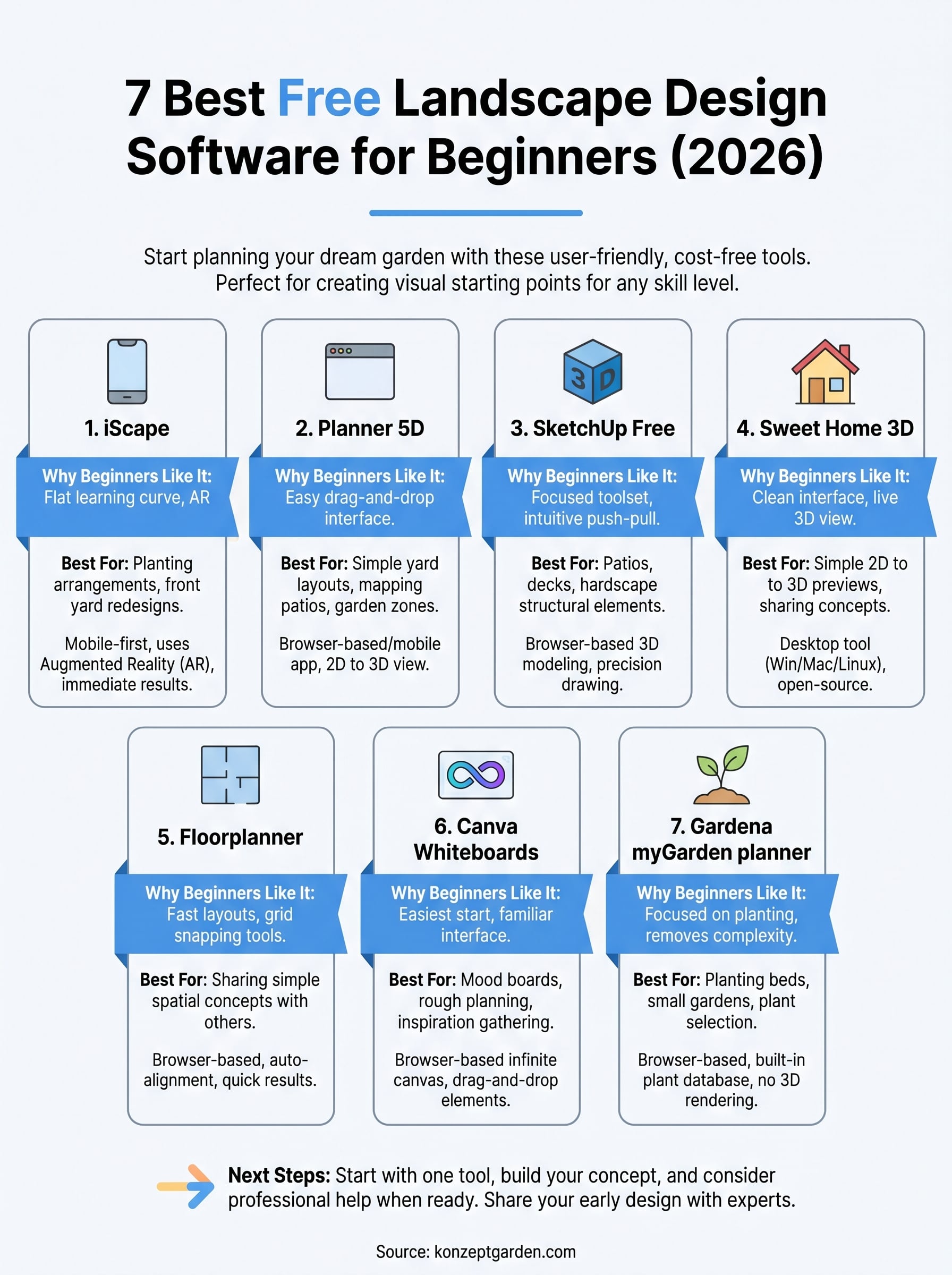
We tested and reviewed the most popular free tools available in 2026 to help you find one that actually fits your skill level. Here are seven beginner-friendly landscape design programs worth your time.
1. iScape
iScape is a mobile-first landscape design app built specifically for planning outdoor spaces. Unlike desktop-heavy tools, iScape works directly on your phone or tablet, letting you import a photo of your yard and layer plants, trees, hardscape elements, and other features on top of it. It's one of the few tools in the landscape design software for beginners category that feels genuinely designed for non-professionals from the ground up.

What it is and how it works
The app uses augmented reality (AR) to let you place design elements directly onto a live or static photo of your outdoor space. You open iScape, take a photo of your garden, and start dragging plants, pavers, fences, or water features onto the image. The plant library includes thousands of species, including many suited for tropical and subtropical climates like Malaysia, which makes it practical for local homeowners planning ornamental or native planting beds.
Why beginners like it
The biggest reason beginners stick with iScape is that the learning curve is almost flat. You don't need to understand design layers, CAD tools, or rendering settings. You tap, drag, and see the result immediately. Most users report getting their first usable layout within 20 to 30 minutes of opening the app, which removes the frustration that often kills momentum early in the planning process.
If you've ever opened a design tool and closed it five minutes later out of confusion, iScape is worth a second look.
Best use cases for homeowners
This tool works best when you're planning planting arrangements, garden beds, or front yard redesigns where you want a quick visual reference rather than a technical blueprint. It's especially practical if you want to show a contractor or landscape designer what you're envisioning before a consultation. Sharing your concept image takes seconds, and that visual communicates far more than a written description ever could.
Free plan and paid upgrades
The free version of iScape gives you access to a limited plant and element library, basic AR functionality, and the ability to save and share designs. For most homeowners doing light planning work, the free tier is enough to get a clear picture of the direction you want to take. If you need access to the full plant database, premium hardscape elements, and advanced design tools, the paid subscription unlocks those features, billed monthly or annually through the App Store or Google Play.
2. Planner 5D
Planner 5D started as an interior design tool, but its outdoor planning features have made it a popular pick in the landscape design software for beginners space. It runs in your browser or as a mobile app, so no software installation is required before you can start building your first layout.
What it is and how it works
The tool uses a drag-and-drop interface where you draw your outdoor area on a grid and then populate it with objects from its library. You start by defining the dimensions of your space, then add fences, pathways, plants, furniture, and structures. Once your 2D layout is ready, you can switch to 3D view with one click, which gives you a rendered walkthrough of the space without any extra steps.
Why it feels easy on day one
The interface removes almost every technical barrier. Labels, icons, and categories are all clearly organized, so you spend less time hunting for tools and more time actually designing. Most beginners can build a recognizable layout in under an hour, which keeps the experience productive rather than frustrating.
Planner 5D is a strong choice if you want to see a 3D result fast without learning a complicated tool first.
Best use cases for simple yard layouts
This tool works well for mapping out patios, outdoor seating areas, and garden zones where you need a rough spatial reference. It's particularly useful when you want to test different furniture or planting arrangements before committing to a layout.
Free plan and paid upgrades
The free tier gives you access to core design features and a basic object library. Paid plans unlock a larger catalog, HD rendering, and cloud storage, which become relevant once your plans grow more detailed.
3. SketchUp Free
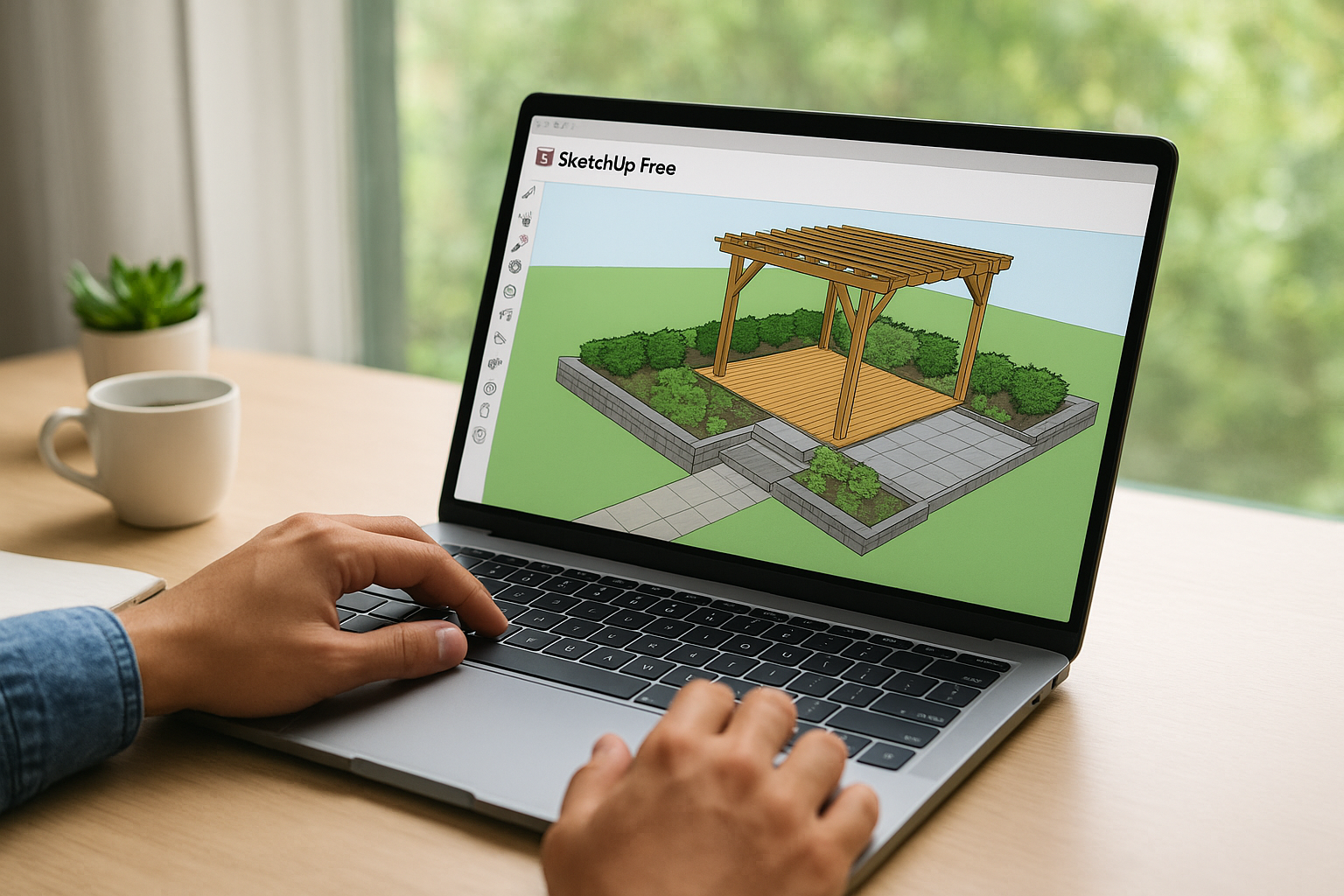
SketchUp Free is a browser-based 3D modeling tool originally built for architects and engineers. Over time, it has found a solid audience among people searching for landscape design software for beginners who want more control over shapes and structures than simpler apps provide. You access it entirely through your browser at no cost, with no software download required.
What it is and how it works
SketchUp Free gives you a 3D modeling workspace where you draw, push, pull, and shape surfaces to build structures and outdoor elements. You start with basic geometric shapes and build up from there, tracing your site boundaries and adding elements like decks, retaining walls, pergolas, and planting zones. The tool also includes the 3D Warehouse, a free library of pre-built models you can drop directly into your scene.
Why it still works for beginners
SketchUp has a steeper initial curve than iScape or Planner 5D, but its core toolset is focused enough that most beginners can get comfortable within a few sessions. The push-pull feature for creating 3D shapes is intuitive once you try it, and official tutorial videos cover most beginner scenarios clearly and without assumed knowledge.
If you're comfortable spending a few hours learning the basics, SketchUp gives you a level of spatial accuracy that simpler apps can't match.
Best use cases for patios, decks, and hardscape
SketchUp excels when you're planning structural elements like decks, pergolas, retaining walls, or paved outdoor areas. The precision drawing tools let you model exact dimensions, which is useful when you need measurements that align with real materials and actual build costs.
Free plan limits and upgrade triggers
The free browser plan gives you full 3D modeling access but limits cloud storage to a small number of saved projects. You also lose access to advanced rendering and file export formats, which become necessary once you want presentation-ready visuals or files a contractor can work from directly.
4. Sweet Home 3D
Sweet Home 3D is a free, open-source planning tool available on Windows, macOS, and Linux, with a browser-based version also accessible. Built mainly for interior design, it handles basic outdoor layouts well enough to make it a solid option for beginners who want a lightweight desktop experience without a paid subscription.
What it is and how it works
You lay out your outdoor space in a 2D top-down editor, placing paths, beds, and outdoor furniture with clicks and drags. The tool runs a live 3D panel alongside the 2D view that refreshes as you work, so you always see how the flat plan translates into three dimensions without switching between separate screens or programs.
Why it's beginner-friendly for basic plans
The interface stays clean and uncluttered. Core tools appear in straightforward menus, reducing the time you spend searching for basic functions. A built-in object catalog includes outdoor items like benches, planters, and trees, so you can build a recognizable garden layout without hunting for external assets.
If you want a completely free desktop tool for planning a simple outdoor space, Sweet Home 3D gets the job done with minimal friction.
Best use cases for simple 2D to 3D previews
This works best when you need to map out patios, garden beds, or seating zones and want a quick 3D preview to share with a contractor or family member before committing to any changes. It fits beginners who want spatial clarity without a steep learning curve.
Free plan details and common add-ons
Sweet Home 3D is entirely free to download and use, with no subscription required. You can expand the default library by importing community-contributed 3D object packs, most of which are also free. Common add-ons include:
- Additional plant species and trees
- Garden structures like pergolas and fences
- Outdoor furniture sets
5. Floorplanner
Floorplanner is a browser-based design tool that lets you draft floor plans and outdoor layouts without installing any software. It runs entirely in your browser, which makes it one of the most accessible options in the landscape design software for beginners category, especially if you're working on a shared or low-spec computer.
What it is and how it works
You start by creating a free account, then open a blank project and trace your outdoor area using simple drawing tools. Walls, pathways, and borders snap into place as you drag them, which keeps your layout tidy without requiring precise input. Once your base plan is ready, you can drop in furniture, plants, and structures from the built-in library and switch between 2D and 3D views at any point.
Why it's good for fast, clean layouts
The interface prioritizes speed. Grid snapping and auto-alignment tools keep your lines straight and proportions consistent without extra effort on your part. Most users produce a presentable layout within one session, which makes Floorplanner a strong choice when you need a clean, shareable visual quickly rather than a highly detailed technical plan.
If your goal is a clear overview you can discuss with a contractor or designer, Floorplanner delivers that faster than most alternatives.
Best use cases for sharing a simple plan
This tool works best when you need to communicate a spatial concept to someone else, whether that's a family member, a contractor, or a landscape designer reviewing your initial ideas. It handles basic garden zones, patio outlines, and pathway configurations well without overwhelming you with settings.
Free plan limits and export options
The free plan limits you to one active project at a time and restricts access to higher-resolution exports. Paid plans unlock multiple projects, HD image exports, and additional library items, which become useful once your planning goes beyond a single outdoor area.
6. Canva Whiteboards
Canva Whiteboards is not a dedicated landscape design software for beginners, but it earns a spot on this list because it removes every barrier between you and a working visual plan. You likely already have a free Canva account, and Whiteboards is built right into it, with no extra signup or download required.
What it is and how it works
Canva Whiteboards gives you an infinite canvas where you drag images, icons, text blocks, color swatches, and shapes into any arrangement you like. You can pull in plant photos, material samples, and rough spatial sketches from Canva's library or upload your own, then organize them freely to build a mood board or rough layout for your outdoor space.
Why it's the easiest place to start
Most people already know how Canva works, which means the tool feels familiar from minute one. No tutorials or setup time are required before you start placing elements, so you focus entirely on your ideas rather than learning a new interface. That low friction makes it the most accessible starting point on this entire list.
If you've been putting off planning your garden because every tool feels too complicated, Canva Whiteboards is the place to start.
Best use cases for mood boards and rough planning
This tool works best when you want to gather inspiration, define a visual direction, or communicate a general style to a designer or contractor. It handles material comparisons, color palettes, and garden zone sketching without the precision constraints that come with more technical tools, which makes it ideal for the early concept stage.
Free plan and paid upgrades
The free Canva plan includes full Whiteboard access, with no restrictions on canvas size or the number of boards you can create. Paid Canva Pro plans unlock additional premium graphic elements and brand kits, but most homeowners planning a garden layout will never need them.
7. Gardena myGarden planner
Gardena myGarden is a free browser-based garden planning tool built specifically around planting and garden bed layout. Unlike the broader design apps on this list, it focuses on one thing: helping you plan where plants go and how they work together, which makes it surprisingly useful for homeowners dealing with small gardens or densely planted beds.
What it is and how it works
You start by drawing your garden's shape using a simple drag-and-drop editor, then fill that space with plants selected from Gardena's built-in plant database. Each plant entry includes information on spacing, sunlight requirements, and seasonal behavior, so you're not just placing icons but making informed planting decisions as you go. The tool runs entirely in your browser with no installation required.
Why it's simple for beginners
The tool strips out everything that isn't directly related to planting, which keeps the interface clean and focused. No 3D rendering, no complex layers, no technical drawing tools to get in the way. If you're new to any kind of landscape design software for beginners, Gardena myGarden removes the noise and lets you concentrate on the actual garden plan.
For anyone whose main challenge is figuring out what to plant where, this tool cuts straight to the point.
Best use cases for planting beds and small gardens
This works best when you're planning ornamental beds, vegetable patches, or small residential gardens where plant selection and spacing matter more than structural design. It's a strong fit for homeowners in Malaysia working with compact outdoor spaces who want a clear planting reference before they start buying or planting anything.
Free access details and practical limitations
Gardena myGarden is completely free to use with no paid tiers or subscription prompts. The main limitation is its narrow scope, as it handles planting layouts well but won't help you design hardscape, structures, or anything beyond ground-level planting zones.
Next Steps
These seven tools cover the full range of what you'll need as you start planning your outdoor space. Whether you're sketching a rough mood board in Canva or mapping exact hardscape dimensions in SketchUp, the best landscape design software for beginners is the one you'll actually open and use. Start with one tool, get comfortable with it, and build your concept from there before moving to anything more complex.
Once your plan starts taking shape, working with a professional landscape designer helps you move from concept to a finished space without costly guesswork. At Konzept Garden, we review client concepts regularly and help homeowners across Malaysia turn rough layouts into fully built, award-winning gardens. Sharing your early design gives us a clear starting point and helps every consultation move faster. Talk to our team and show us what you've put together so far.


